Tuesday, January 16, 2007

20. Library 2.0 perspectives

I, of course, read all of that while helping Bobbi put this program together. I went back and re-read them this morning, though, and caught some things that I'd forgotten about but think are pretty important. In the "Away From The Icebergs" article, there were two comments that struck me as I was reading them. The first deals with training:
"But if our services can’t be used without training, then it’s the services that need to be fixed—not our patrons. One-button commands, such as Flickr’s “Blog This,” and easy-to-use programs like Google Page Creator, offer promising models for this kind of user-centric service."

The second is more along the lines of what we are doing here - making our services available to people who may not be able to physically visit the library via RSS feeds, MySpace pages and the like.
"At a minimum, this means placing library services and content in the user’s preferred environment (i.e., the Web); even better, it means integrating our services into their daily patterns of work, study and play."


In "To Better Bibliographic Services", the author gives some good advice to libraries looking to fit into the 2.0 world,
"Adopt Web features The features of Amazon and Google of interest to students and scholars ought to be incorporated into the services libraries make available. Libraries should welcome the submission of reviews, assignment of keywords (“tagging”), addition of scholarly commentary, and other forms of user participation."

and I agree completely! Web 2.0 is all about user-created content. We should be encouraging that content. We also, however, have to worry about policing that content. These are issues the library should be discussing, though!!

In the Wikipedia article - Library 2.0, the definition of Library 2.0 has a couple of lines in it that go back to the idea of participation from our users:

"an increased flow of information from the user back to the library."
and
"the need for libraries to adopt a strategy for constant change while promoting a participatory role for library users."

These ideas really resonate with me - I love the idea of letting our users become content creators - even if it's just to rate books in our catalog (already available!). I'd like to see us offer reviews, comments or tagging abilities to books - but that's a ways in the future, probably...

In the WEB 2.0 and Its Technologies for Collaborative Library Communication article, I really liked the "cheerleading" tone of the following sentence:

"I think that if librarians everywhere would just get up to speed on some of these little-known and newer techniques, tools, and thinking on the crucial topic of Web 2.0 within libraries, they (and this includes you) will find that many other libraries and librarians are already using social software tools and offering best practices suggestions for all of us-then, you will get excited as well and become a denizen of Web 2.0 sites!"
That is what we are doing here, and I've been seeing, in your blog posts, that you are becoming denizens of Web 2.0 sites already. That can only benefit our patrons and help them become users of these new sites, too!!

--
Robin Hastings
robin.hastings@gmail.com

Monday, January 08, 2007

18 My visited states map

The map below is for states in which I've spent at least one night. I've driven through more of them, but I decided to make a night spent in the state a requirement for this map. I've got some traveling to do, don't I?


create your own visited states map
or check out these Google Hacks.


--
Robin Hastings
robin.hastings@gmail.com

17. My online images


--
Robin Hastings
robin.hastings@gmail.com

16 - RSS Feeds

Which method of finding feeds did you find easiest to use? Which Search tool was the easiest for you? Which was more confusing? What kind of unuseful feeds did you find in your travels? Or what kind of unusual ones did you find? What other tools or ways did you find to locate newsfeeds?

I generally find plenty of feeds just while trolling through the web, but when I'm looking for specific feeds, I like to use the "blogrolls" of sites I already read. I've found that especially helpful with library-related feeds! Most blogs have a list of some sort that contains at least some of the blogs that the blogger reads on a regular basis. I consider those to be pre-selected good reading!! When I have to search for a particluar topic, Technorati is the engine I use most these days. I've used Syndic8 in the past, but it seemed to be more confusing to use - not quite as useful as Technorati's social aspects - knowing how many other bloggers subscribe to a particular feed, how many consider a feed their "favorite" and so on. I've found LOTS of unuseful feeds in my travels - mostly feeds that were started with the best of intentions, then left to wither on the 'net due to lack of posts. I have to go through my bloglines account occasionally and get rid of feeds that haven't posted anything for a while. Firefox (the alternative browser) has been really helpful in finding feeds that I might have missed. If there is a feed on a site, the browser gives me a little hint that it is subscribable. That comes in handy to grab feeds I wouldn't have realized are available!!

--
Robin Hastings
robin.hastings@gmail.com

Friday, January 05, 2007

15 - RSS Feeds

Now we are getting into my favorite part of the whole Web 2.0 field - RSS. The benefits of having information come to you - as opposed to you having to go out to find that information on different websites scattered throughout the 'net - are immense! However, the ease of subscribing to RSS feeds and the possibility of finding yourself following 160 different feeds (the number I currently have in my Bloglines account...) means that you have to be careful of information overload.
Be sure to check out the Bloglines buttons, too - just click on the "Add" link above your subscriptions on the left side of the page, then click on the "Easy Subscribe Button" link on the right side of the page. The directions are pretty simple - pick the browser you are using, drag the appropriate button to your toolbar and start subscribing whenever you see that a site you like has a RSS feed.
I generally use Bloglines to keep up with both my librarian blogs and my web design blogs - as well as the blogs you all are creating for this program. Without Bloglines to let me know when you all post to your blogs, I would be very hard-pressed to respond in a timely manner to your posts!! Other people use Bloglines to create temporary "research" folders, adding in sites that publish information on their topic so that they can get the latest info that they need for their particular research needs. You all will find your own uses for Bloglines, I'm sure - I can't wait to read your posts to find out how you are using it!!

--
Robin Hastings
robin.hastings@gmail.com

Tuesday, January 02, 2007

14. Flickr Mashups

My choice for the Flickr mashup was the trading card. I pulled a picture from Flickr of me relaxing near the New River in Ft. Lauderdale. The icons I chose are pretty much meaningless - except that I liked them...

The Librarian Trading Cards group was pretty fun. It's interesting to see faces to go with the names that pop up on librarians' blogs!!

--
Robin Hastings
robin.hastings@gmail.com
13. Flickr

I've been using Flickr for a while now, it's a great way to store my pictures and give others a chance to view them! What I really like about Flickr, though, is the ability to create a community around photos. Each image can be commented on by any other Flickr user - it's really a great way to meet new folks who may be interested in the same things you are and to share bits and pieces of your life with your friends and family!
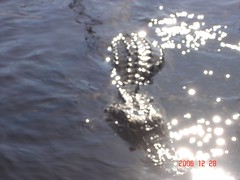
I posted a selection of photos from my recent vacation in Florida to Flickr as soon as I got back. The one that sums up my experience the most is the one of the alligator checking out our boat in the Everglades! There are a couple of different ways to upload pics to a blog, but the way I used was to go to the "all sizes" button on the top of the photo's page, pick the medium size, then use the image's URL to enter into the photo upload tool at blogger. There are easier ways to do it - trust me - but this one works in a pinch!!


--
Robin Hastings
robin.hastings@gmail.com